Data Colors
The Data Colors card lets you customize point colors from the formatting pane.
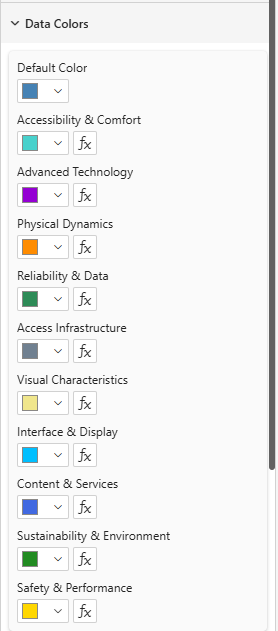
- With a Legend field: one color picker per legend category
- Without a Legend field: one color picker per point label (Values)
- Colors set in the formatting pane override the default palette but are overridden by the Color data role (DAX measure)
Color priority
From lowest to highest precedence: default palette → formatting-pane color → Color measure (DAX). The measure always wins when present, which lets you drive point colors directly from your data model.